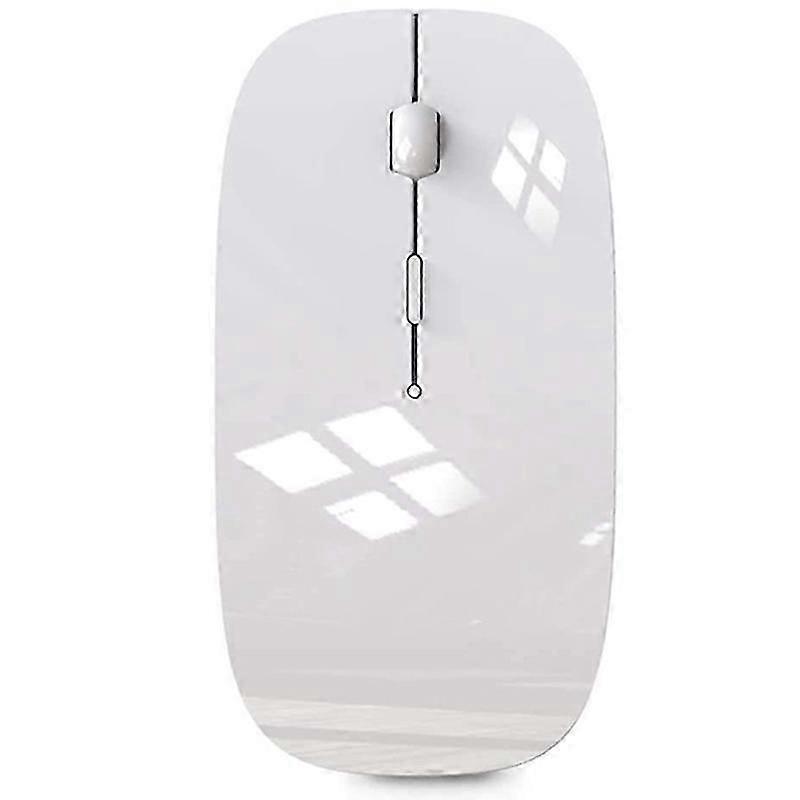
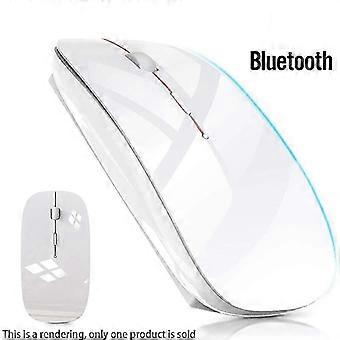
Wireless Mouse compatible with Bluetooth Mouse compatible with Pro Air Laptop Windows Bluetooth Mouse compatible with
١٬٥٤٩٫٠٠ E£
+ ٩٧١٫٤٩ E£ الشحن

Wireless Mouse compatible with Bluetooth Mouse compatible with Pro Air Laptop Windows Bluetooth Mouse compatible with
البائع:

١٬٥٤٩٫٠٠ E£

وفّر ٥٬٨٤١٫٠٠ E£ (79%)

السعر الأصلي

٧٬٣٩٠٫٠٠ E£
في المخزون
+ ٩٧١٫٤٩ E£ الشحن

سياسة الإرجاع لمدة 14 يوما

طرق الدفع:

  • العلامة التجارية: Unbranded

الوصف

Wireless Mouse compatible with Bluetooth Mouse compatible with Pro Air Laptop Windows Bluetooth Mouse compatible with
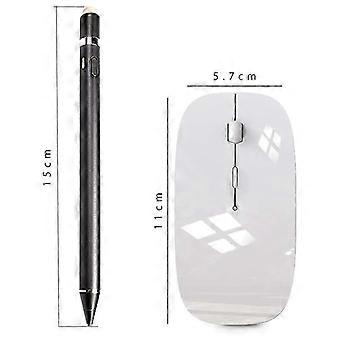
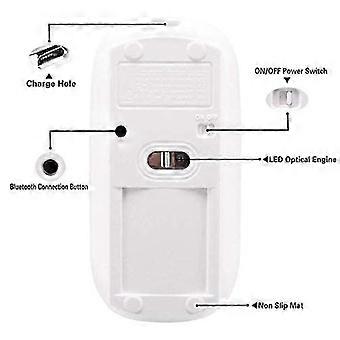
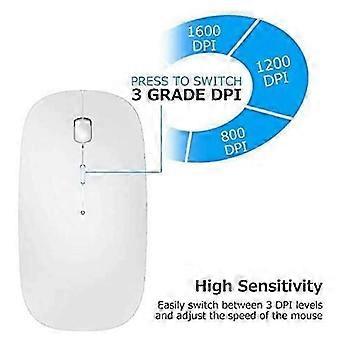
Wireless Mouse for Bluetooth Mouse for Pro Air Laptop Windows Bluetooth Mouse for [Best compatible Bluetooth 4.0 chip]-Compatible with more than 99% Bluetooth devices. Connect 10.2 2019, 9.7 inches 2018, 9.7 2017, Pro 12.9 inches / 11.0 inches / 10.5 inches / 9.7 inches, Air 10.5 / Air 2, mini 5/ 4, 11 Pro Max, 11 Pro, 11, Xs Max, etc. PC, pro air 2012/2017/2018/2019 laptop, laptop, OS; support Win7 Win8 Win10 Linux or Android tablet Comfortable Contact and ultra-thin design: symmetrical and ergonomic design makes this wireless Bluetooth mouse suitable for left and right hands. surface coating technology brings you a Contact like skin. Ultra-thin and portable, the mouse can be used anytime and anywhere during travel. suitable for use at work/study/play. Mute click and adjustable : The silent design of the left and right buttons allows you to focus on work or playing games without disturbing others. Switch between levels 800, 1200 and 1600 to meet your needs with high precision. Advanced optical tracking technology ensures greater sensitivity and can accurately track on various surfaces. Rechargeable and saving Erengy: The mouse has a built-in rechargeable battery with a charging cable. No need to replace the battery. In order to save power and long-term use, the mouse will automatically enter sleep mode after 11 minutes of inactivity, just click any button to wake it up. How to use a Bluetooth mouse: turn on the mouse switch, open the computer system preferences, and turn on the Bluetooth function. When the computer Bluetooth shows that it is searching for nearby Bluetooth devices, you need to hold down the "black button" at the bottom of the mouse and hold down 3-6 Seconds, then your computer will display the Bluetooth mouse when searching for the device, then click to connect it, and then successfully connect How to update the software version? (Open and click General to find the software update function) Click Download to install the latest version of iOS 13) The Bluetooth connection of the or is different from that of the laptop. Fi
  • هوية Fruugo: 516448332-1053031753
  • EAN: 9443245042281

معلومات سلامة المنتج

يرجى الاطلاع على معلومات سلامة المنتج الخاصة بهذا المنتج الموضحة أدناه

يتم توفير المعلومات التالية من قبل بائع التجزئة المستقل التابع لجهة خارجية الذي يبيع هذا المنتج.

ملصقات سلامة المنتج

CE Mark
تحذيرات السلامة: Important Safety Instructions Read Before Use: Please read all instructions and safety warnings before using this product. Failure to follow these guidelines may result in injury, damage, or malfunction. General Warnings Intended Use: Use this product only for its intended purpose as described in the user manual. Supervision Required: This product is not intended for use by children or persons with reduced physical, sensory, or mental capabilities without supervision. Inspection Before Use: Check for any signs of damage or wear before use. Do not use if damaged.

توصيل

يُرسل خلال ٥ أيام

  • STANDARD: ٩٧١٫٤٩ E£ - التسليم بين الأربعاء 09 سبتمبر 2026 – الجمعة 18 سبتمبر 2026

يُشحن من الصين.

الإرجاع

نحن نبذل قصارى جهدنا لضمان أن تصلك المنتجات التي تطلبها بالكامل وطبقاً المواصفات التي حددتها. إلا أنه في حال تلقيك طلب غير كامل أو أغراض تختلف عن تلك التي طلبتها أو كان هناك سبب آخر يدعوك لعدم الرضاء عن الطلب، فيمكنك رد الطلب أو أي منتجات يتضمنها الطلب واسترداد ما دفعته من أجل تلك الأغراض بالكامل.

عرض سياسة الرد الكاملة

تفاصيل امتثال المنت

يرجى الاطلاع على معلومات الامتثال الخاصة بهذا المنتج الموضحة أدناه.

يتم توفير المعلومات التالية من قبل بائع التجزئة المستقل التابع لجهة خارجية الذي يبيع هذا المنتج.

الجهة المصنعة:
توضح المعلومات التالية تفاصيل الاتصال الخاصة بالجهة المصنعة للمنتج ذي الصلة والذي يُباع على Fruugo.

  • Shenzhen Xinhui Electronics Co., LTD
  • Shenzhen Xinhui Electronics Co., LTD
  • 403, No. 133, Xinping Village, Dawang Community, Donghu Street, Luohu District, Shenzhen
  • Shenzhen
  • CN
  • 518000
  • [email protected]
  • 86-17608433813

الشخص المسؤول في الاتحاد الأوروبي:
توضح المعلومات التالية معلومات الاتصال الخاصة بالشخص المسؤول في الاتحاد الأوروبي. الشخص المسؤول هو المُشغل الاقتصادي المُعيّن والكائن في الاتحاد الأوروبي والمسؤول عن التزامات الامتثال المتعلقة بالمنتج ذي الصلة الذي يُباع داخل الاتحاد الأوروبي.

  • EC REP SERVICES SL
  • EC REP SERVICES SL
  • Calle Gran Via 49, 7 Dch.
  • Madrid
  • ES
  • 28013
  • [email protected]
  • 682797075